I Built a Reusable LaTeX Resume Template You Can Fill Out With Any AI Agent
A clean, ATS-friendly LaTeX resume template and interactive AI agent prompt that guides you through building a professional resume step by step.
I Built a Reusable LaTeX Resume Template You Can Fill Out With Any AI Agent
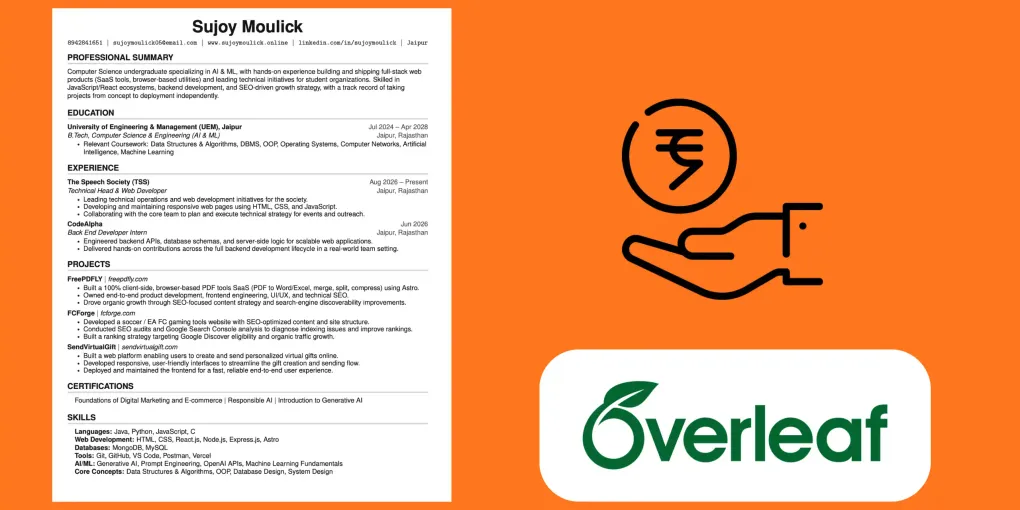
Writing (and rewriting) a resume in LaTeX is powerful — clean typography, perfect alignment, one-page ATS-friendly output — but it’s tedious every time you need to update it for a new role, a new project, or a new job.
So I split my resume workflow into two reusable pieces:
- A blank LaTeX template with placeholder tokens instead of real content.
- A copy-paste prompt that turns any AI chat agent (Claude, ChatGPT, etc.) into an interviewer — it asks you for your details one at a time, then hands back a complete, ready-to-compile
.texfile.
Paste both into a fresh chat, answer the questions, and you’re done. No editing LaTeX by hand, no guessing at formatting.
Here’s both pieces, ready to copy.
1. The Blank Resume Template
Copy this whole block into a file named resume_template_blank.tex.
%-------------------------
% Blank Resume Template (fill via placeholders)
% Based off of: https://github.com/jakeryang/resume
% License : MIT
%------------------------

\documentclass[letterpaper,11pt]{article}

\usepackage{latexsym}
\usepackage[empty]{fullpage}
\usepackage{titlesec}
\usepackage{marvosym}
\usepackage[usenames,dvipsnames]{color}
\usepackage{verbatim}
\usepackage{enumitem}
\usepackage[hidelinks]{hyperref}
\usepackage{fancyhdr}
\usepackage[english]{babel}
\usepackage{tabularx}

\definecolor{light-grey}{gray}{0.83}
\definecolor{dark-grey}{gray}{0.3}
\definecolor{text-grey}{gray}{.08}

\DeclareRobustCommand{\ebseries}{\fontseries{eb}\selectfont}
\DeclareTextFontCommand{\texteb}{\ebseries}

% custom font: helvetica-style
\usepackage{helvet}
\renewcommand*\familydefault{\sfdefault}
\usepackage[T1]{fontenc}

\pagestyle{fancy}
\fancyhf{}
\fancyfoot{}
\renewcommand{\headrulewidth}{0pt}
\renewcommand{\footrulewidth}{0pt}

% Adjust margins
\addtolength{\oddsidemargin}{-0.5in}
\addtolength{\evensidemargin}{0in}
\addtolength{\textwidth}{1in}
\addtolength{\topmargin}{-.6in}
\addtolength{\textheight}{1.2in}

\urlstyle{same}
\raggedbottom
\raggedright
\setlength{\tabcolsep}{0in}

\titleformat {\section}{
    \bfseries \vspace{2pt} \raggedright \large
}{}{0em}{}[\color{light-grey} {\titlerule[2pt]} \vspace{-4pt}]

%-------------------------
% Custom commands
\newcommand{\resumeItem}[1]{
  \item\small{
    {#1 \vspace{-1pt}}
  }
}

\newcommand{\resumeSubheading}[4]{
  \vspace{-1pt}\item
    \begin{tabular*}{\textwidth}[t]{l@{\extracolsep{\fill}}r}
      \textbf{#1} & {\color{dark-grey}\small #2}\vspace{1pt}\\
      \textit{#3} & {\color{dark-grey} \small #4}\\
    \end{tabular*}\vspace{-4pt}
}

\newcommand{\resumeSubSubheading}[2]{
    \item
    \begin{tabular*}{\textwidth}{l@{\extracolsep{\fill}}r}
      \textit{\small#1} & \textit{\small #2} \\
    \end{tabular*}\vspace{-7pt}
}

\newcommand{\resumeProjectHeading}[2]{
    \item
    \begin{tabular*}{\textwidth}{l@{\extracolsep{\fill}}r}
      #1 & {\color{dark-grey}} \\
    \end{tabular*}\vspace{-4pt}
}

\newcommand{\resumeSubItem}[1]{\resumeItem{#1}\vspace{-4pt}}

\renewcommand\labelitemii{$\vcenter{\hbox{\tiny$\bullet$}}$}

\newcommand{\resumeSubHeadingListStart}{\begin{itemize}[leftmargin=0in, label={}]}
\newcommand{\resumeSubHeadingListEnd}{\end{itemize}}
\newcommand{\resumeItemListStart}{\begin{itemize}}
\newcommand{\resumeItemListEnd}{\end{itemize}\vspace{-3pt}}

\color{text-grey}

%=============================================================
% PLACEHOLDER KEY (replace every <ALL-CAPS-TOKEN> below):
%
%   <FULL-NAME>            e.g. Jane Doe
%   <PHONE>                e.g. 9876543210
%   <EMAIL>                e.g. jane@email.com
%   <WEBSITE>              e.g. www.janedoe.online (optional, remove segment if none)
%   <LOCATION>             e.g. Jaipur
%
%   -- EDUCATION (repeat the block for each degree) --
%   <SCHOOL-NAME>, <SCHOOL-LOCATION>, <SCHOOL-START>--<SCHOOL-END>
%   <DEGREE-NAME>
%   <COURSEWORK-LIST>      (optional bullet, remove if not wanted)
%
%   -- EXPERIENCE (repeat the block for each job/role) --
%   <COMPANY-NAME>, <JOB-LOCATION>, <JOB-START>--<JOB-END>
%   <JOB-TITLE>
%   <JOB-BULLET-1..N>
%
%   -- PROJECTS (repeat the block for each project) --
%   <PROJECT-NAME>, <PROJECT-LINK>
%   <PROJECT-BULLET-1..N>
%
%   -- SKILLS --
%   <SKILL-CATEGORY-1>: <SKILL-LIST-1>
%   ... add/remove category lines as needed
%=============================================================

\begin{document}

%----------HEADING----------
\begin{center}
    \textbf{\Huge <FULL-NAME>} \\ \vspace{5pt}
    \small \texttt{<PHONE>} \hspace{1pt} $|$
    \hspace{1pt} \texttt{<EMAIL>} \hspace{1pt} $|$
    \hspace{1pt} \texttt{\href{https://<WEBSITE>}{<WEBSITE>}} \hspace{1pt} $|$
    \hspace{1pt} \texttt{<LOCATION>}
    \\ \vspace{-3pt}
\end{center}

%-----------EDUCATION-----------
\section{EDUCATION}
\resumeSubHeadingListStart

    % --- repeat this block for each school/degree ---
    \resumeSubheading
      {<SCHOOL-NAME>}{<SCHOOL-START> -- <SCHOOL-END>}
      {<DEGREE-NAME>}{<SCHOOL-LOCATION>}
    \resumeItemListStart
        \resumeItem{<COURSEWORK-LIST-OR-OTHER-DETAIL>}
    \resumeItemListEnd
    % --- end repeatable block ---

\resumeSubHeadingListEnd

%-----------EXPERIENCE-----------
\section{EXPERIENCE}
\resumeSubHeadingListStart

    % --- repeat this block for each role, most recent first ---
    \resumeSubheading
      {<COMPANY-NAME>}{<JOB-START> -- <JOB-END>}
      {<JOB-TITLE>}{<JOB-LOCATION>}
    \resumeItemListStart
        \resumeItem{<JOB-BULLET-1>}
        \resumeItem{<JOB-BULLET-2>}
        \resumeItem{<JOB-BULLET-3>}
    \resumeItemListEnd
    % --- end repeatable block ---

\resumeSubHeadingListEnd

%-----------PROJECTS-----------
\section{PROJECTS}
\resumeSubHeadingListStart

    % --- repeat this block for each project ---
    \resumeProjectHeading
      {\textbf{<PROJECT-NAME>} $|$ \emph{\href{https://<PROJECT-LINK>}{<PROJECT-LINK>}}}{}
    \resumeItemListStart
        \resumeItem{<PROJECT-BULLET-1>}
        \resumeItem{<PROJECT-BULLET-2>}
        \resumeItem{<PROJECT-BULLET-3>}
    \resumeItemListEnd
    % --- end repeatable block ---

\resumeSubHeadingListEnd

%-----------SKILLS-----------
\section{SKILLS}
\begin{itemize}[leftmargin=0.15in, label={}]
\small{\item{
\textbf{<SKILL-CATEGORY-1>:} <SKILL-LIST-1> \\
\textbf{<SKILL-CATEGORY-2>:} <SKILL-LIST-2> \\
\textbf{<SKILL-CATEGORY-3>:} <SKILL-LIST-3> \\
\textbf{<SKILL-CATEGORY-4>:} <SKILL-LIST-4>
}}
\end{itemize}

\end{document}
2. The Agent Prompt
Copy this whole block, paste it into a fresh chat with your AI agent of choice, and attach or paste the template above alongside it.
You are a resume-writing assistant. I am giving you a blank LaTeX resume template that uses placeholder tokens like <FULL-NAME>, <COMPANY-NAME>, <JOB-BULLET-1>, etc. Your job is to collect all the information needed to fill in that template, then output the complete, final .tex code with every placeholder replaced.

Follow these rules exactly:

1. Ask one question at a time. Do not ask multiple questions in a single message. Wait for my answer before asking the next question.
2. Go section by section, in this order:
   - Personal details: full name, phone number, email, personal website/portfolio link (if any), city/location.
   - Education: for each degree/school (ask if there is more than one) — institution name, location, degree name, start date, end date, and any coursework or details worth listing.
   - Experience: for each job/role (ask how many roles I want to include, most recent first) — company/organization name, location, job title, start date, end date, and 2-4 bullet points describing responsibilities/achievements for that role.
   - Projects: for each project (ask how many I want to include) — project name, live link/URL, and 2-4 bullet points describing what it does and what I built/contributed.
   - Skills: ask me to group my skills into categories (e.g. Languages, Web Development, Databases, Tools, etc.) and list the items in each category.
3. Help me write strong bullet points. If I give you a rough or vague description of a job/project responsibility, rewrite it as a concise, resume-appropriate bullet point (action verb + what I did + impact/result where possible) and show me the rewritten version before moving on, so I can approve or edit it.
4. Keep it ATS-friendly. Avoid special characters, tables, or graphics beyond what the template already includes. Keep bullet points free of jargon that an applicant tracking system might not parse.
5. Respect a one-page limit. If my answers would clearly produce more than one page of content (e.g. too many jobs, too many bullets, or overly long bullets), tell me and suggest what to trim — don't just silently cut content.
6. Repeatable blocks. The template has clearly marked repeatable blocks (education, experience, projects) with comments showing where each block starts and ends. When I have more than one entry for a section, duplicate that block in the final code once per entry, filled in appropriately — don't leave unused blocks with placeholder text in the final output.
7. After collecting everything, output the complete .tex file with all placeholders replaced by my real information, and no remaining <PLACEHOLDER> tokens, comments, or instructional text from the template. Give me the full code in one code block, ready to compile.
8. Do not skip ahead or guess my details. If something is optional (like a website link) and I say I don't have one, remove that piece cleanly from the output rather than leaving a broken or empty field.

Start now by asking me for my full name.
How to Use It
- Open a new chat with any AI agent (Claude, ChatGPT, etc.).
- Paste the agent prompt above.
- Paste or attach the blank template
.texcode. - Answer the questions as they come, one at a time.
- Copy the final
.texcode it gives you back and compile it — Overleaf works great if you don’t have LaTeX installed locally.
That’s it — a full, ATS-friendly, one-page resume, without touching a single line of LaTeX syntax yourself.
Next Steps & Developer Resources
Looking to showcase your new resume and land high-paying contracts? Explore our career guides and free pricing tools:
- How to Become a Freelancer: Step-by-Step Guide — Build a portfolio, set your rates, and land client contracts.
- Build a Next.js Portfolio & Deploy to Vercel — Showcase your LaTeX resume and dev projects on a live site.
- Freelance Rate Calculator — Calculate baseline hourly and fixed project pricing for technical consulting.